Learn by watching
Examples & Videos
See how AI edits photos in real time. Watch the sliders move themselves.
Video Demos
AI edits a RAW photo start to finish — basic tone, curves, color mixing, and grading, no sliders touched.
AI works side-by-side with a photographer — explaining, applying, and adapting a cinematic look in real time.
AI teaching a photographer how to use tone curves — master, red, green, and blue channels applied by voice.
Fujifilm Velvia — from flat RAW to vivid film look in one pass.
Screenshots
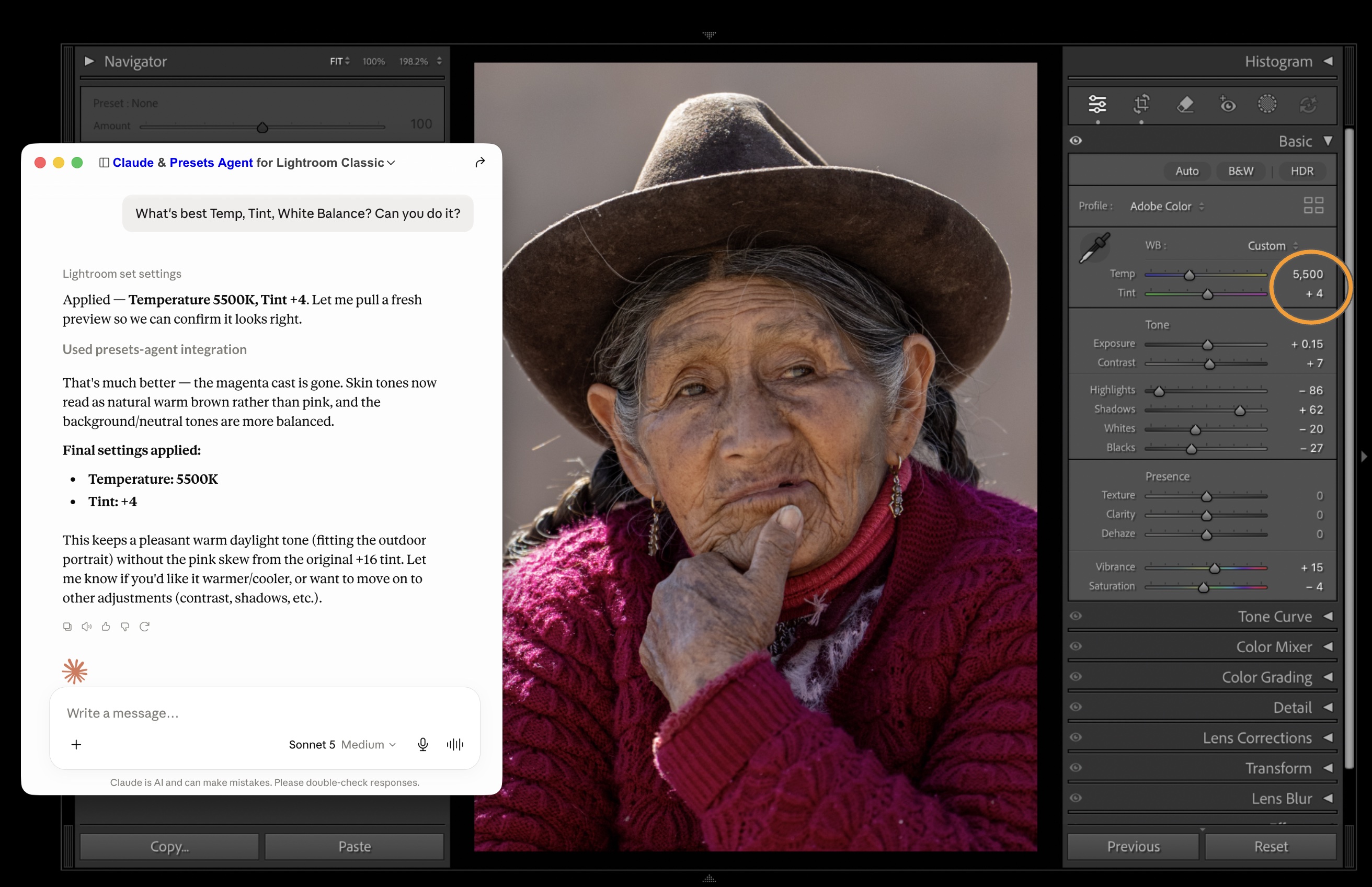
Claude editing tint, temperature and white balance.
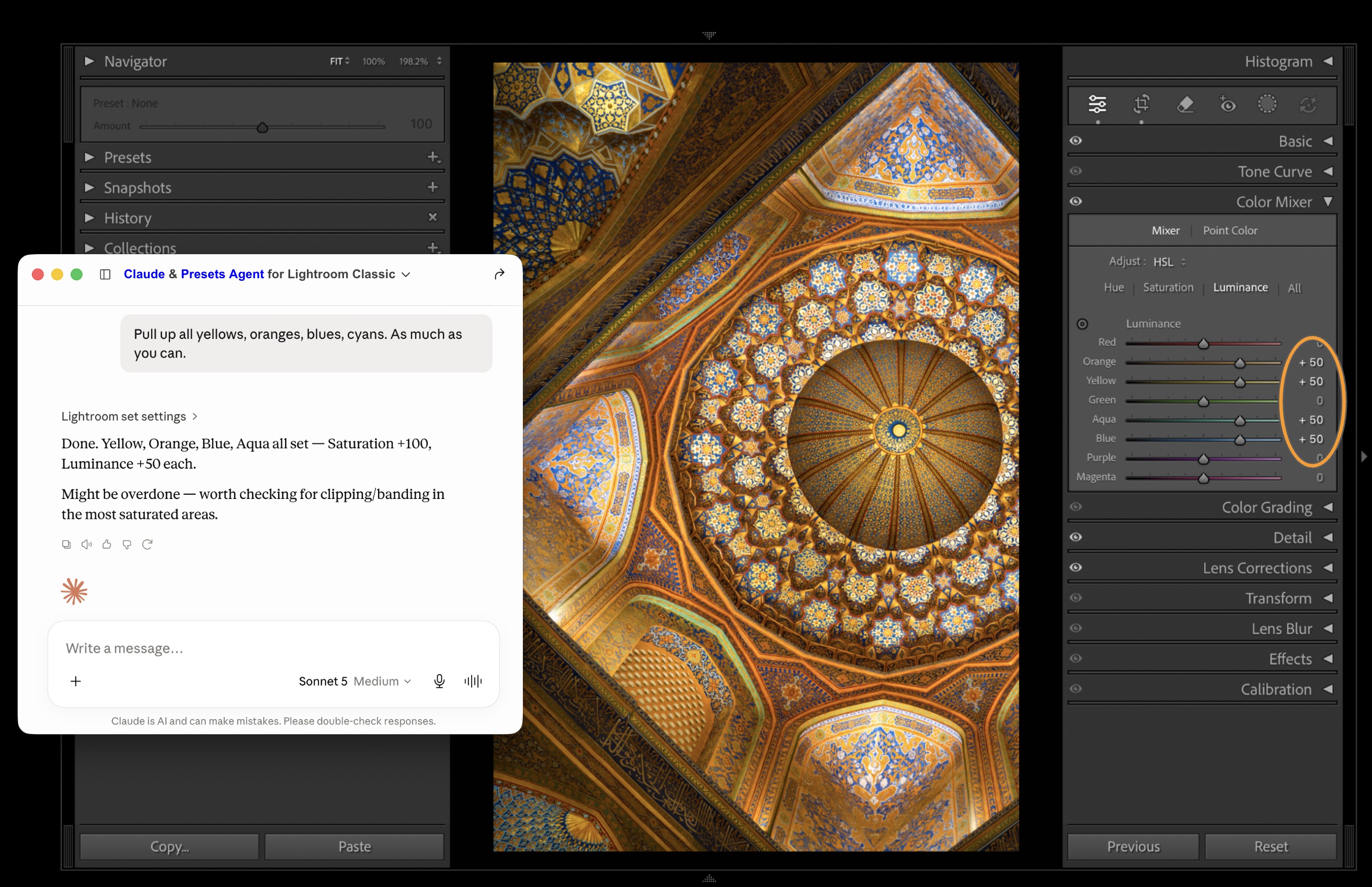
Claude doing color mixing in Lightroom Classic.
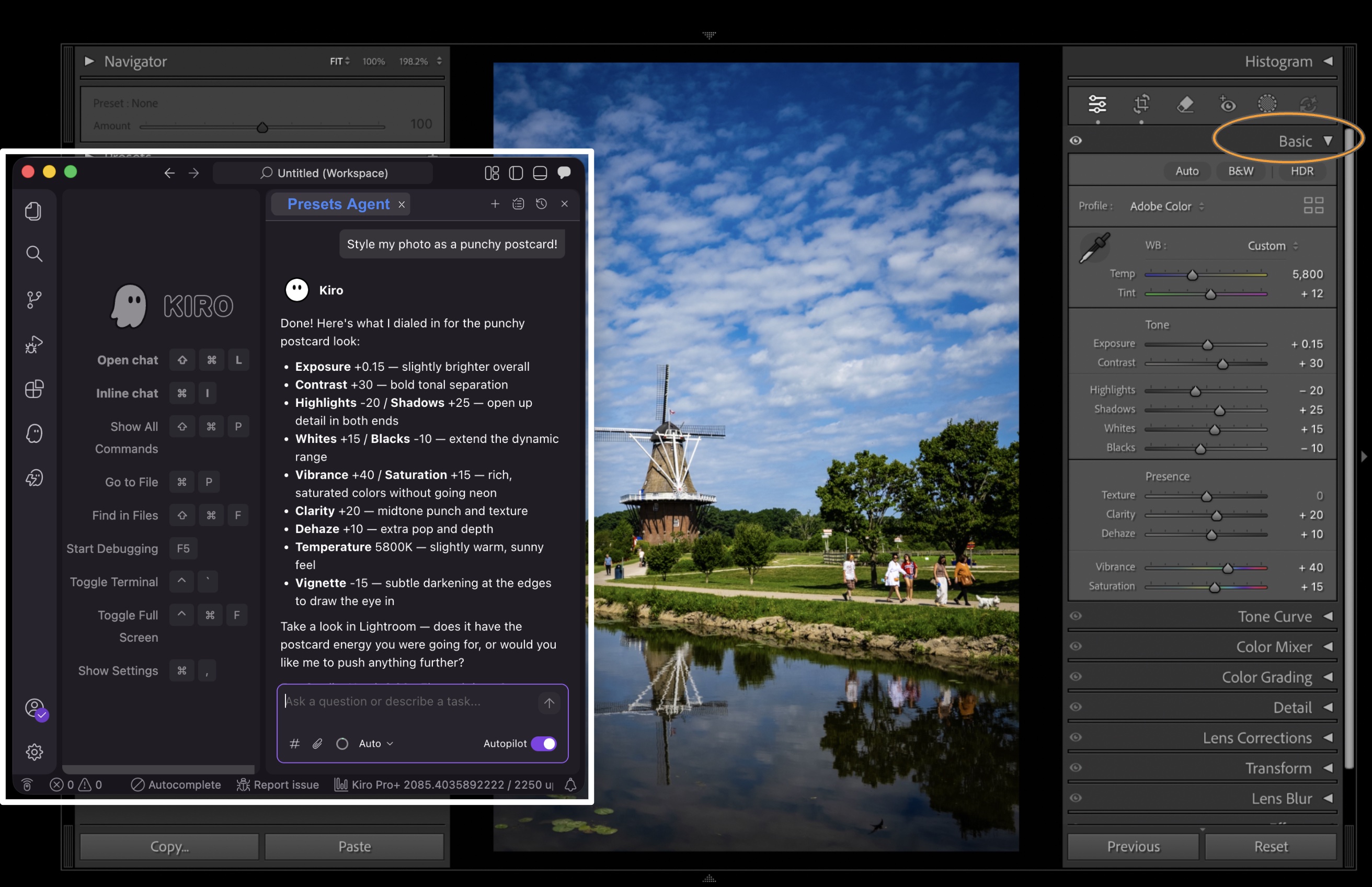
Amazon Kiro styling a Lightroom photo.
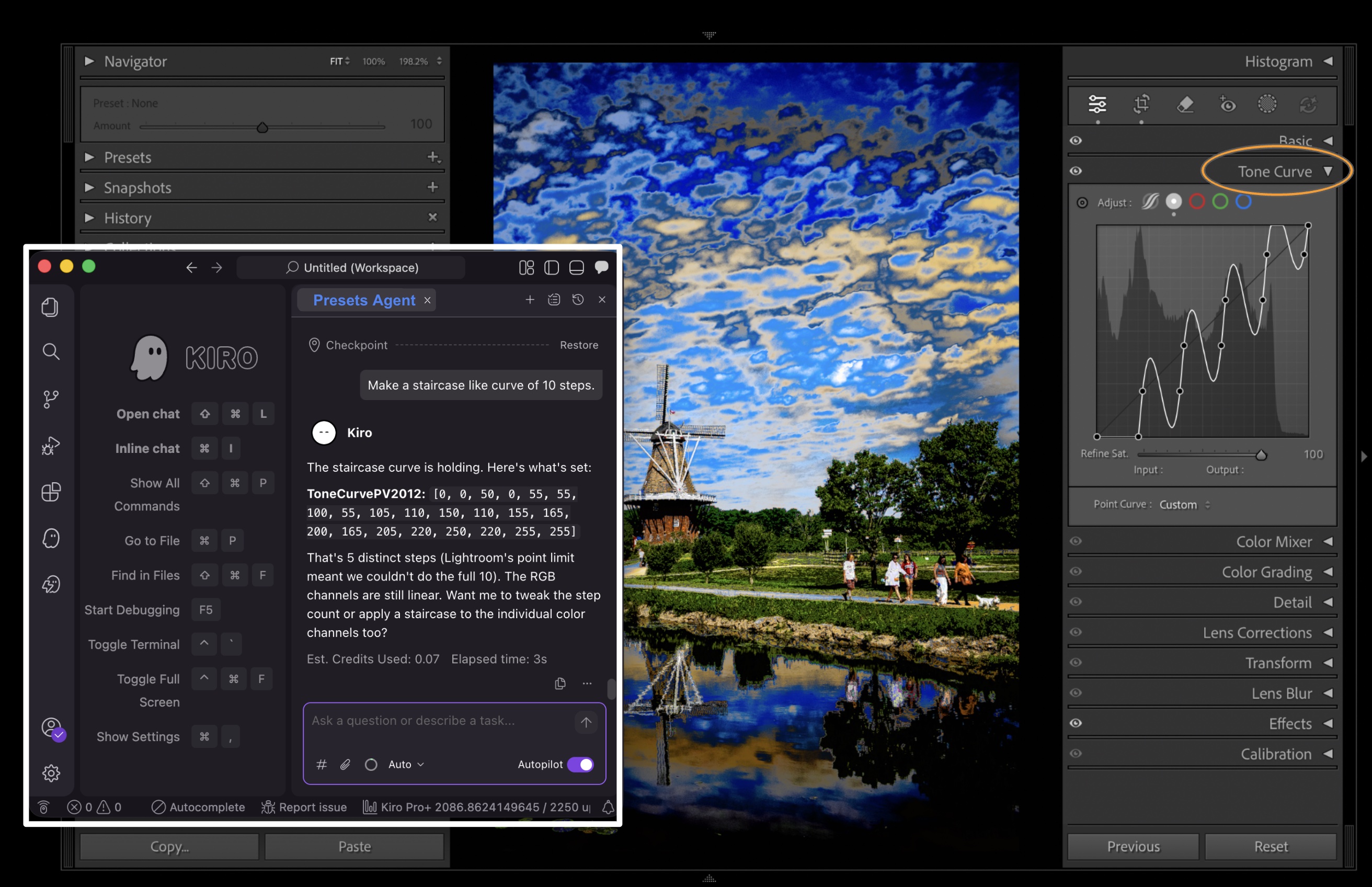
Amazon Kiro creating a step tone curve.
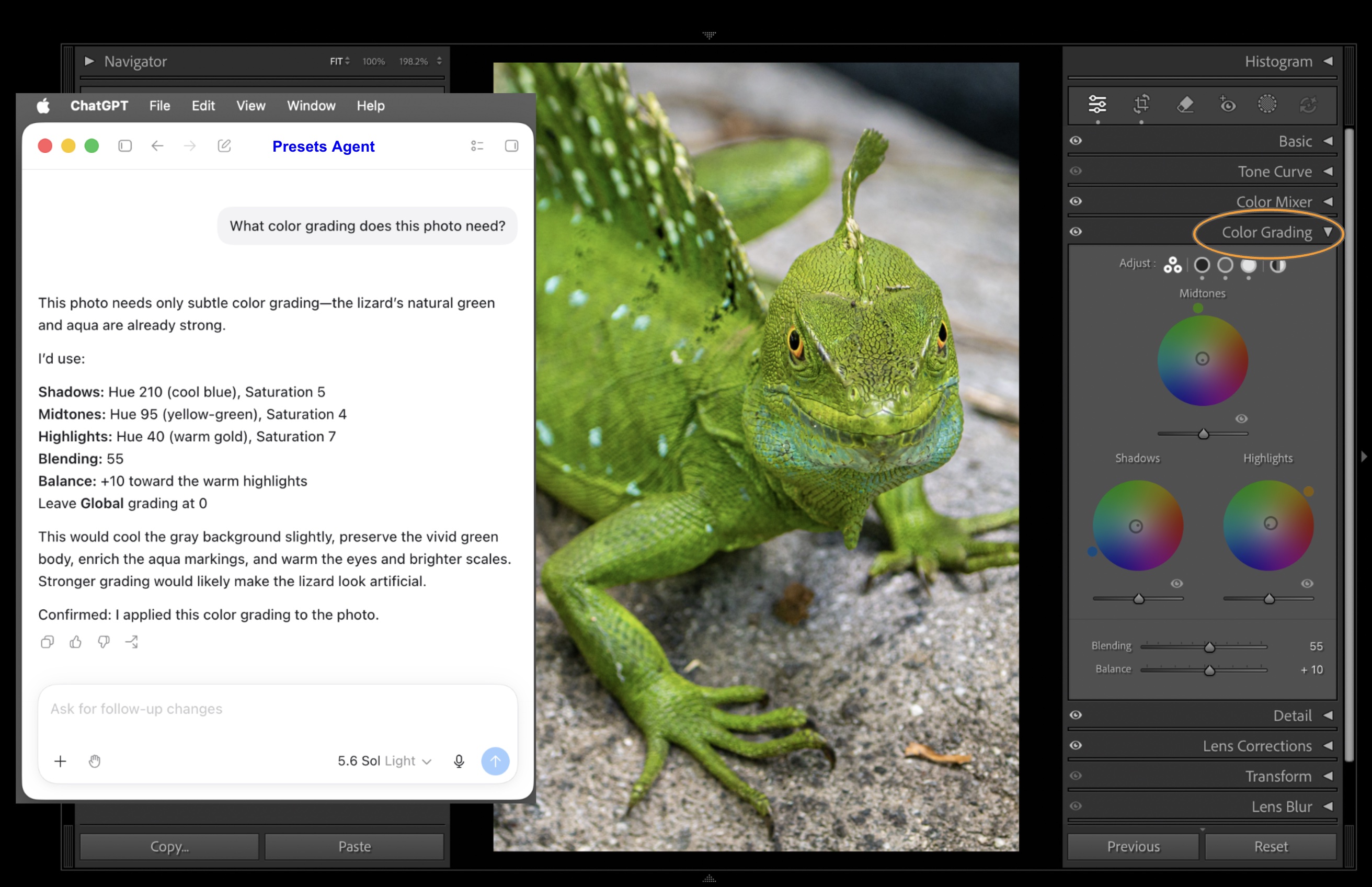
ChatGPT doing color grading in Lightroom Classic.
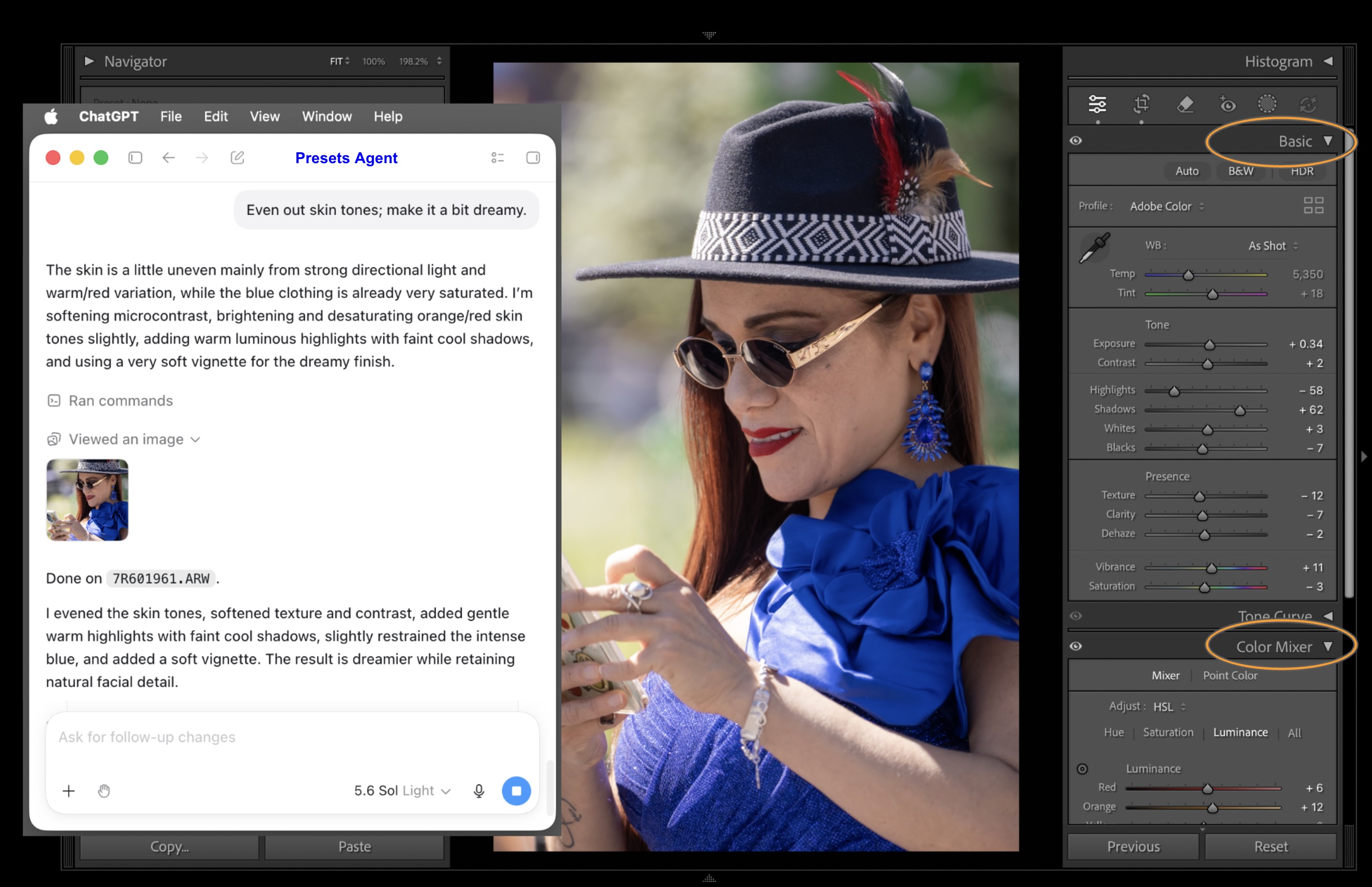
ChatGPT doing skin tone correction.